Updated 2026-07-13
The best AI tattoo generator in 2026
Short version: it depends on the job. Design sheets to hand an artist and seeing ink on your own body are different problems, and no single tool wins both. We build Inkeify, so read our take accordingly — but the comparison below is the honest one we'd give a friend.
At a glance
| Tool | Best for | On-body preview | Price |
|---|---|---|---|
| Inkeify | Seeing a full suit ON YOUR BODY before you commit | Yes — photo-realistic, on your own photos, with an ink timeline (outline → shading → healed) | Free to try, subscriptions for shoots |
| BlackInk AI | Flash-style design sheets to bring to your artist | Limited — primarily design-on-paper output | Subscription |
| Ink Studio AI | Fast styled mockups, custom sleeves | Partial — stencil-style mockups | Free tier + paid |
| Canva | Casual one-off design ideas | No | Free with Canva account |
| Midjourney | Maximum creative range, if you know prompting | No — and skin/anatomy realism is hit-or-miss | Subscription |
The breakdown
1. Inkeify — seeing a full suit on your body before you commit
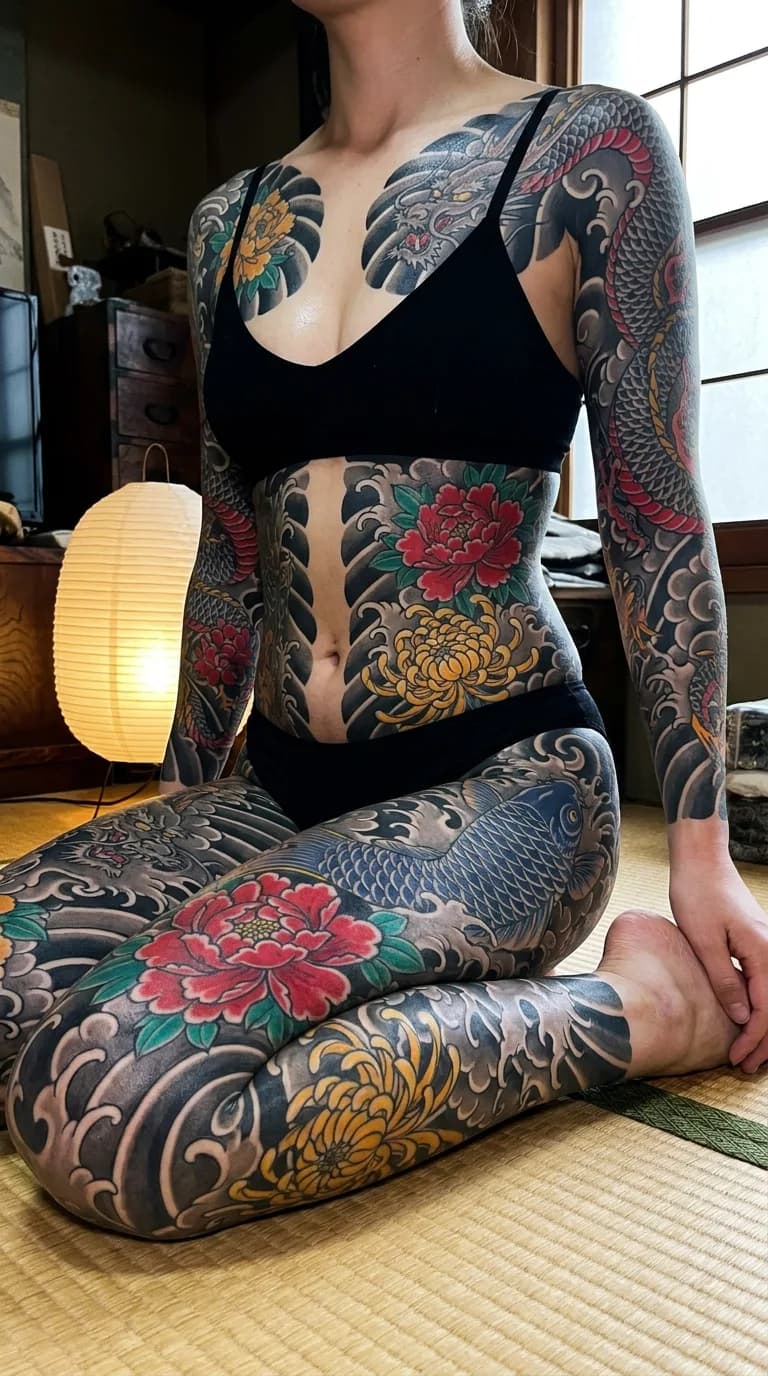
The only tool on this list built around the question that actually matters for big work: what will this look like on ME, at every stage of the process? You design the suit once, then shoot it in photo packs — mirror selfies, studio editorials, session-day documentary — with the same design carried through every photo. Scrub the timeline from fresh skin to healed suit. If you're considering a sleeve, back piece or bodysuit, this is the rehearsal.
Styles: Irezumi, blackout, geometric blackwork, ornamental — large-coverage specialists
2. BlackInk AI — flash-style design sheets to bring to your artist
A strong pure design generator with a big style range and a large idea library. Output is tattoo-ready line art and design sheets rather than photos of ink on skin — great when you already know your placement and want artwork to hand to an artist.
Styles: Broad: blackwork, dotwork, geometric, realism and more
3. Ink Studio AI — fast styled mockups, custom sleeves
Quick, styled concepts with a sleeve focus. Good for volume ideation — generate many directions cheaply, then refine the one you like with an artist.
Styles: Wide style menu, sleeve-oriented options
4. Canva — casual one-off design ideas
Not a tattoo tool, but the AI image generator inside a familiar editor works for quick, casual concepts. Expect general-purpose output — fine for a small first tattoo idea, not for planning serious coverage.
Styles: General-purpose image generation with tattoo prompts
5. Midjourney — maximum creative range, if you know prompting
The most creatively capable image model, but it isn't built for tattoos: no placement awareness, no design continuity across images, and rendering believable ink on believable skin takes real prompt skill. Powerful moodboard tool; weak rehearsal tool.
Styles: Anything you can prompt
Best AI tattoo generator for a sleeve
A sleeve is the test that separates design generators from preview tools. The design has to wrap — what reads well as flat art falls apart around a forearm — and it has to stay the same design from shoulder to wrist across every render. Design-sheet tools (BlackInk AI, Ink Studio AI) are quick for sleeve artwork, and Ink Studio AI in particular leans sleeve-shaped. But if the question is what the sleeve looks like on your arm — how far past the elbow, where the mikiri border lands, full vs half — an on-body generator is the only honest answer. Inkeify generates the same sleeve design across mirror selfies and studio shots, at any stage from outline to healed, so the length decision (full sleeve, half sleeve, or the traditional seven-tenths shichibu/gobusode cuts) stops being theoretical.
Sleeve galleries by style: Japanese full sleeve, blackwork full sleeve, geometric half sleeve.
Best AI full-body tattoo generator
Full-body work is where general image models give up: a bodysuit isn't one picture, it's one composition that has to survive dozens of renders — front, back, seated, mid-session — without the design redrawing itself. No prompt keeps Midjourney's dragon in the same place twice. Inkeify was built for exactly this job: you set the suit's format (soushinbori, gobusode, munewari or donburi front), choose the motifs, and every photo it generates carries the identical suit — including the build-up timeline from bare skin to healed. It's the difference between generating tattoo pictures and rehearsing a bodysuit.
How to choose
- Planning a sleeve, back piece or bodysuit? Rehearse it on your own body first — coverage decisions are the expensive ones. That's Inkeify's lane.
- Already know the piece, want artwork for your artist? A design-sheet generator like BlackInk AI or Ink Studio AI gets you reference art fastest.
- Just exploring casually? Canva's free generator is a zero-commitment start.
- Chasing a very specific aesthetic no tattoo tool offers? Midjourney, if you're comfortable prompting — treat the output as a moodboard, not a plan.
See your suit before the needle
Design a full bodysuit once, then shoot it on your own photos — outline, shading, healed. Free to try.
Try Inkeify free →FAQ
What's the best AI tattoo generator for seeing a tattoo on my own body?
Inkeify — it's the only tool in this comparison designed around on-body, photo-realistic previews. You design a suit or piece once, and every generated photo keeps that design consistent on your body, including an ink timeline from outline to healed.
Are AI tattoo designs actually usable by tattoo artists?
Yes, as reference. Artists routinely work from AI concepts the way they work from Pinterest boards — expect them to redraw for your anatomy, their style and how ink ages. Design-sheet tools like BlackInk AI output the most directly usable artwork; on-body tools like Inkeify are better for deciding coverage, placement and commitment level first.
Is there a free AI tattoo generator?
Most tools have a free tier. Inkeify's try-it flow is free, Ink Studio AI and Canva have free tiers, and BlackInk AI and Midjourney are subscription-first. Free tiers are usually enough to decide whether the tool's output style fits what you want.
Which AI tattoo generator is best for a full bodysuit or sleeve?
Large coverage is where design continuity matters most — a bodysuit isn't one image, it's one design seen across many photos and sessions. Inkeify specialises in exactly this (irezumi, blackout, geometric bodysuits with a stage-by-stage timeline). Generic image models struggle to keep a design consistent across more than one render.